Each task lives in one Mission, so the project, conversation, and decisions stay together.
A focused desktop workspace for AI-assisted work
Keep the work moving.
Keep the context with it.
One Mission.
Bring project files, AI conversations, and specialist agents into one Mission—so you can pick up where you left off instead of rebuilding context across chat tabs.
Free to start · macOS and Windows · BYOK credentials stay in your OS keychain
macOSWindowsClaudeGPT / CodexGemini
Connect the tools around the work
CLClaude Anthropic
GPTGPT / Codex OpenAI
GMGemini Google
GHGitHub connected account
FGFigma connected account
GOGoogle connected account
JRJira via MCP
NTNotion via MCP
SLSlack via MCP
MCMCP servers custom tools
Why A(i)GENCY
The work stays scoped, visible, and easy to return to.
Read and write access stay explicit, so the app shows what it can touch before anything moves.
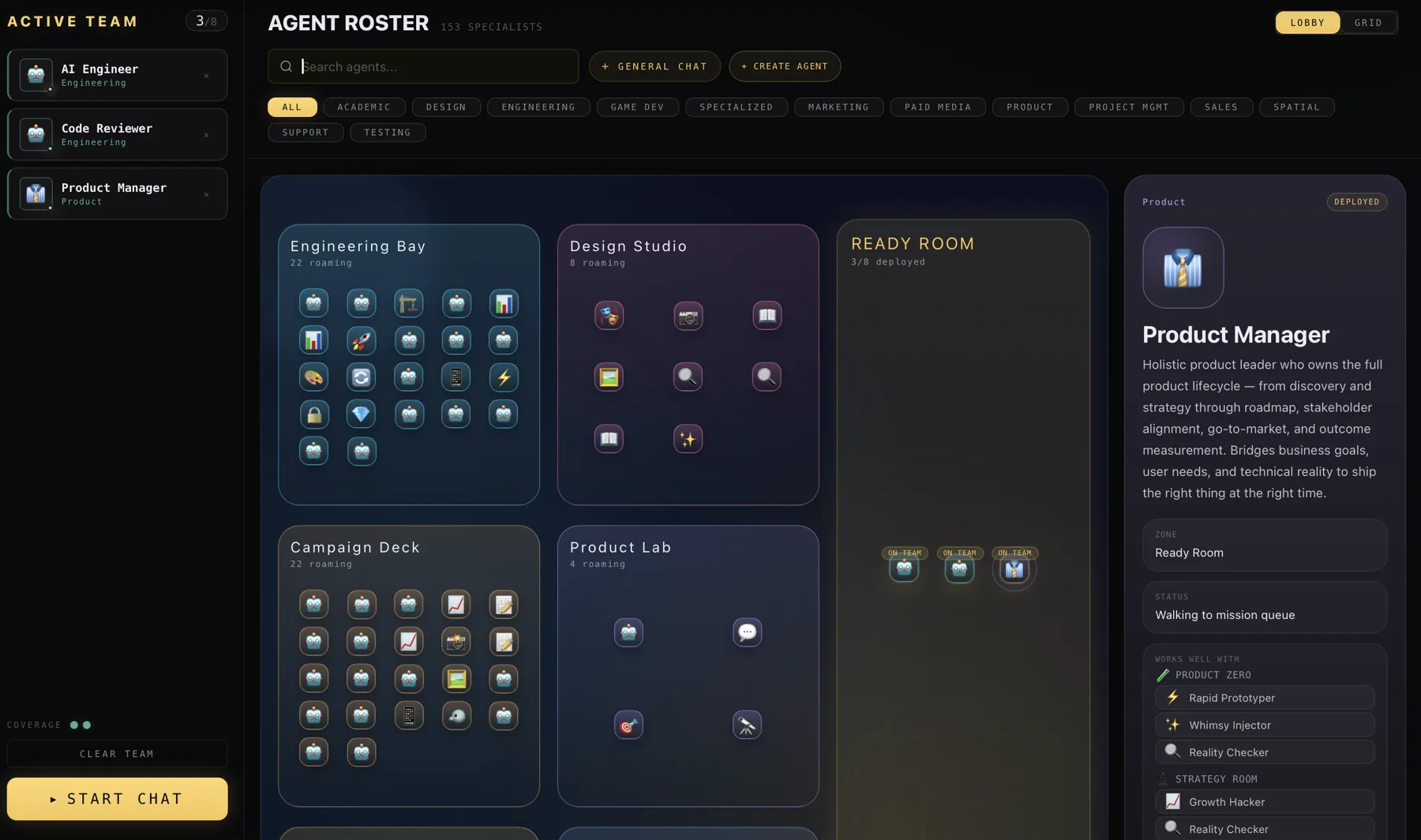
Bring in specialist agents only when the Mission needs them, without adding another chat thread.
How it works
From scattered tools to one clear mission.
A(i)GENCY organizes the setup around the work itself—not around a growing list of chats.
-
01
Open your project
Start a Mission with the folder or repository that contains the work.
-
02
Choose the right setup
Select a model, use your own provider connection, or add specialist agents.
-
03
Work with context
Conversations, files, and decisions stay together as the Mission develops.
The essential layer
Everything the work needs. Nothing fighting for attention.
Start simple. Add models, agents, and connections only when the Mission calls for them.
01
Mission workspaces
One durable home for every project.
Keep project files, model conversations, instructions, and decisions scoped together so returning to the work feels immediate.
12 files in context
Mission active
02
Model choice
Use the model that fits the task.
Work across supported Claude, GPT/Codex, and Gemini paths without rebuilding the project context.
ClaudeGPTGemini
03
Specialist agents
Bring in expertise when it matters.
Use a limited starter roster on Free or unlock all agents and custom agents on Basic and Pro.
04
Control and visibility
Your providers, permissions, and usage stay visible.
Choose BYOK or the managed Pro path, see what is connected, and keep control of how each Mission reaches a model.
One focused route
Complex underneath.
Calm on the surface.
A Mission can connect project context, a model, and specialist help. A(i)GENCY keeps the route visible without making you manage the machinery every time.
- 01 Project context stays scoped
- 02 Provider choice stays explicit
- 03 Specialists join only when needed
Project files
Specialists
Mission context
MissionContext router
Claude
GPT / Codex
Gemini
Visible by design
Know what the work is using.
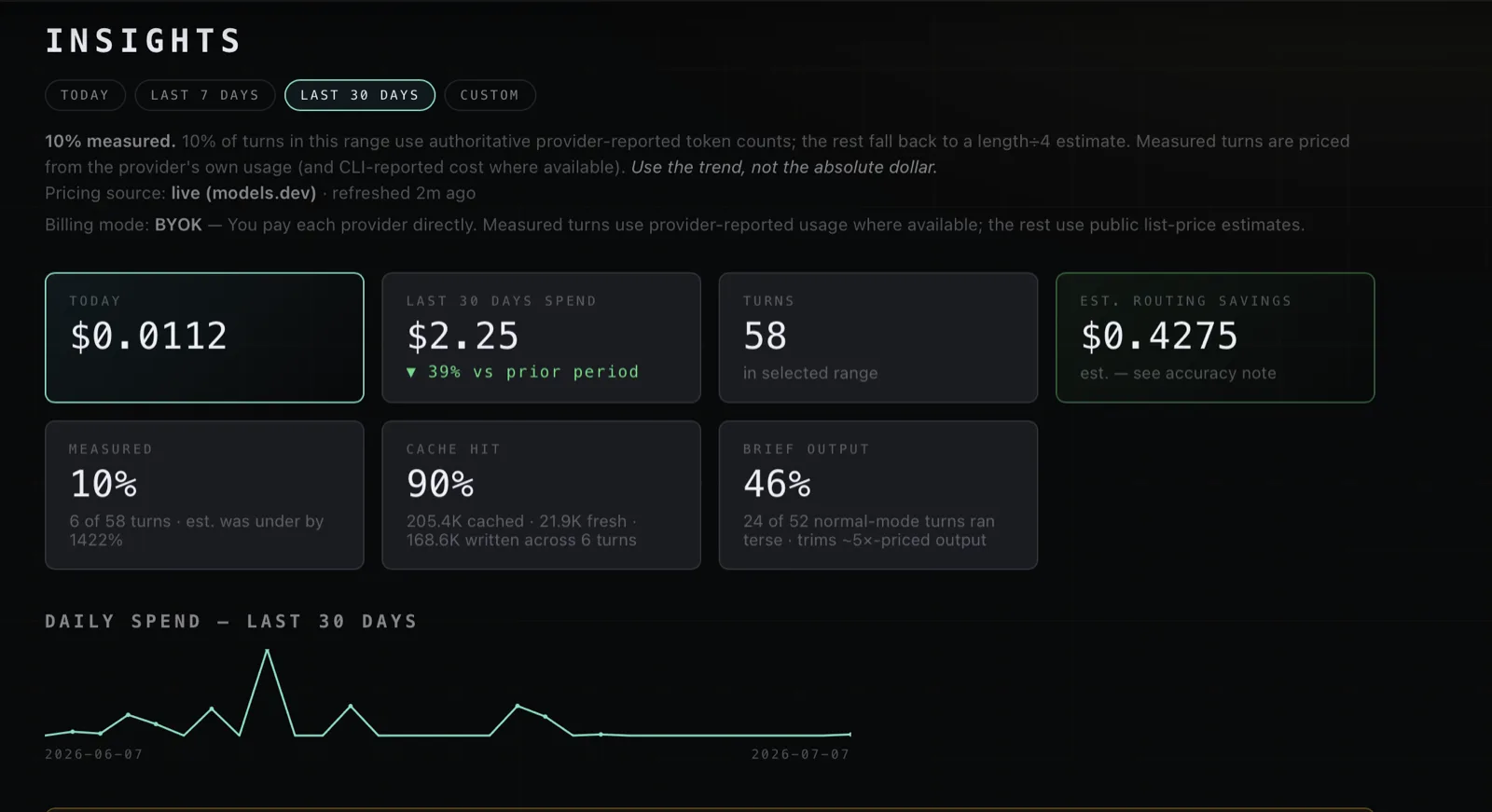
Insights keeps provider activity, token usage, and cost trends in view. Provider-reported measurements are identified; turns without authoritative usage data remain clearly labeled estimates.
- Provider
- See the active route
- Usage
- Measured when reported
- Cost
- Trend with honest caveats
Built for real work
A better starting point for the work that sprawls.
Ship a product
Keep planning, implementation, review, and launch decisions inside one Mission.
Turn research into finished work
Bring source files, drafts, and specialist perspectives together without losing the original brief.
Run recurring work
Return to durable context instead of rebuilding the process in a new chat every time.
Privacy and control
Your work only moves when you move it.
A(i)GENCY keeps the local workspace understandable while making provider routing and access explicit.
Read the privacy detailsFiles stay in your project
Mission files remain on your device until you send relevant context to the provider you choose.
Secrets stay out of project files
Provider API keys and connected account secrets are stored in your operating system keychain.
Access stays visible
You choose the provider and workspace permissions, including when broader edit access is enabled.
Simple plans
Choose who provides the AI.
Start free, connect your own provider on Basic, or use the managed provider path on Pro.
| What matters | Free | Basic | Pro |
|---|---|---|---|
| Monthly price | $0 | $10 | $20 |
| AI connection | BYOK · 2 chats | BYOK | BYOK + managed* |
| Specialist agents | 8 | All 54 | All 54 |
| Custom agents | —Not included | ✓Included | ✓Included |
* Managed routing is available where the requested provider is configured. AI usage is billed separately from the subscription.
Free$0Starter access
For exploring the desktop workflow with a limited roster and allowance.
Usage: paid directly to your provider
Start free
Basic BYOK$10Per month
For regular use with your own provider account or API key.
Usage: paid directly to your provider
Choose Basic
Managed path
Pro$20Per month
For full access with BYOK plus supported managed provider routing.
Usage: managed usage tracked separately when enabled
Choose Pro
Basic and Pro subscriptions are billed by A(i)GENCY through Lemon Squeezy. Provider usage is not included in the subscription price and remains separate as described above.
Questions, answered
Know what you are signing up for.
What is a Mission?
A Mission is a project workspace that keeps local file references, instructions, conversations, selected models, and agents scoped together.
Do I need my own AI provider account?
Free and Basic use BYOK, so you connect a supported provider and pay that provider directly. Pro also supports the managed enterprise-key path where configured.
Where do my project files live?
Your project files remain in the folder or repository you choose. When you send a request, relevant prompts, attachments, file excerpts, and tool results may be sent to the active AI provider.
What happens after I create an account?
Free users can continue to the app download. Basic and Pro users continue through the existing Lemon Squeezy checkout, then download and sign in.
Your next Mission
Bring the work.
We’ll help organize the intelligence.
Create an account, download the desktop app, and begin with one project.